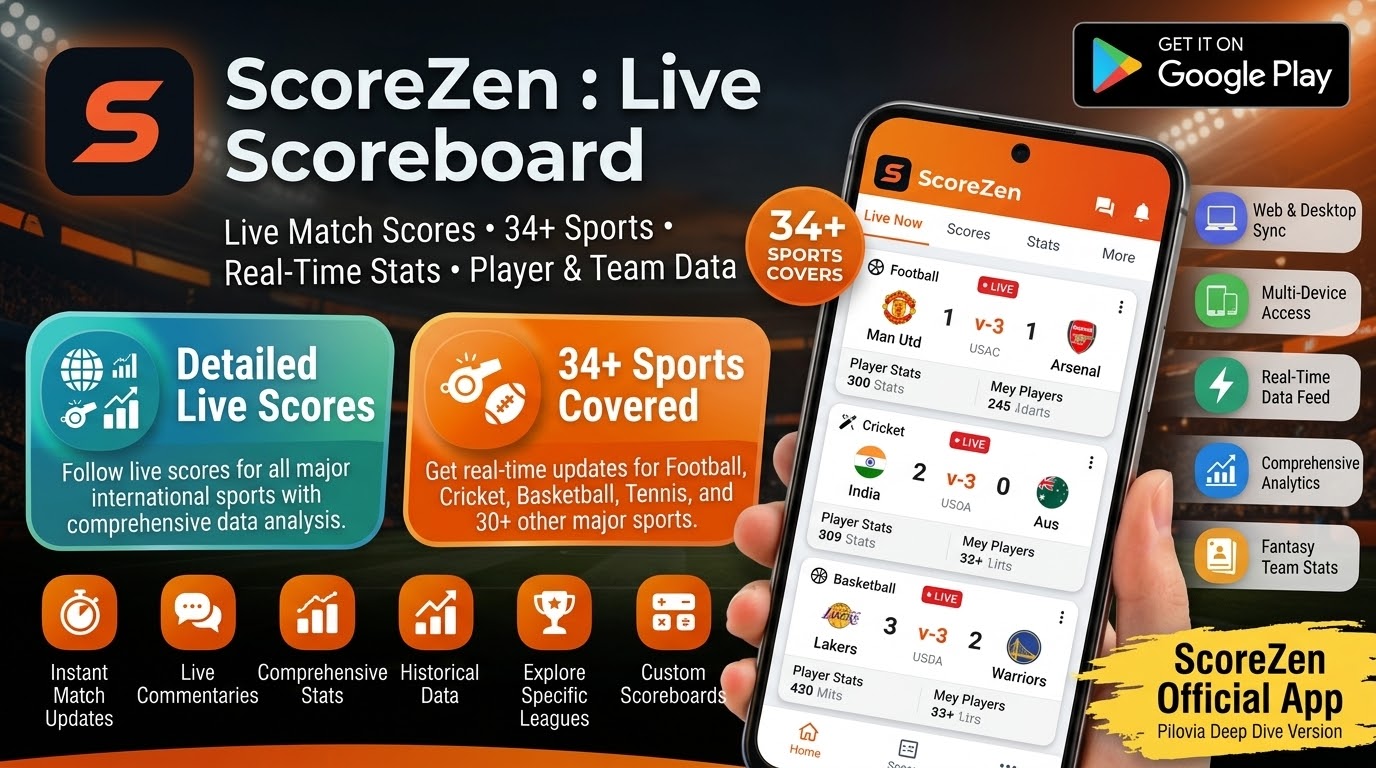
Looking for a simple way to keep match scores, share live results, and let friends or family follow a game from anywhere? ScoreZen : Live Scoreboard offers a different approach to sports score apps. Instead of only showing scores from professional leagues, it lets you create your own match, keep the score on your phone, and share a live scoreboard with other people.
The app supports 34 sports, including football, cricket, basketball, volleyball, tennis, badminton, rugby, table tennis, hockey, athletics, motorsport, and esports. It also offers custom scoring, QR-code sharing, live video links, tournament tools, TV mode, and offline scorekeeping. Apps on Google Play+1
This makes ScoreZen : Live Scoreboard especially interesting for players, parents, coaches, referees, sports clubs, schools, and tournament organizers. For example, if your child is playing a local football or volleyball match, you can create a scoreboard and share a link so relatives can follow the result without installing the app.
But is ScoreZen worth downloading in 2026? How does its live scoreboard work? Can you use it for cricket, T20, football, or other sports? And what is included in its free and paid options?
In this detailed review, we will explore its features, latest available update information, pricing, supported sports, benefits, limitations, and overall user experience.
What Is ScoreZen : Live Scoreboard?

ScoreZen : Live Scoreboard is a sports scorekeeping application developed by Pilovia. It turns a smartphone into a digital scoreboard that can be used to manage matches and share scores in real time.
The idea is straightforward. Choose a sport, create a match, enter the teams or players, and start recording points. The app applies sport-specific scoring rules, helping you manage the match without relying on paper notes or a manual scoreboard.
Unlike many sports apps that mainly display results from professional competitions, ScoreZen is designed for people who are actually organizing or playing matches. You can keep the score yourself and allow spectators to follow it through a shared link or QR code. Apps on Google Play+1
The official website also describes ScoreZen as a platform for live scoring, video, tournaments, leagues, teams, and sports activities. This makes it more than a basic score counter. ScoreZen
ScoreZen Latest Update 2026
If you are searching for the ScoreZen latest update or ScoreZen latest version, check the official Google Play listing for the Android release available to your device.
The Google Play listing currently available in the search results shows an update dated August 7, 2026. Its update notes mention Billing Library 8 compliance and stability improvements. The listing also identifies the app as an in-app-purchase application. Apps on Google Play
The iOS version history shows additional development activity, including improvements to match creation, tournament tools, language support, live video, and score alerts. The listed iOS version 1.0.3 adds an option to film a match with an iPhone and stream it to Twitch while keeping the scoreboard available to viewers. App Store
Keep in mind that Android and iOS releases do not always receive the same features at the same time. Therefore, check the version history for your own device before assuming that every feature is available on every platform.
Main Features of ScoreZen : Live Scoreboard
1. Live Scorekeeping for 34 Sports
One of the biggest advantages of ScoreZen : Live Scoreboard is its wide sports coverage.
The app supports 34 sports, including football, basketball, volleyball, handball, tennis, padel, badminton, table tennis, rugby, ice hockey, judo, boxing, pétanque, darts, bowling, golf, swimming, athletics, and esports. Its official website also lists cricket, motorsport, cycling, baseball, and several other activities. Apps on Google Play+1
This variety makes ScoreZen useful for different sporting environments.
For example, a school can use it for a basketball competition, a local club can manage volleyball matches, and a family can keep track of a friendly tennis game.
You do not need a separate scoreboard application for every sport. Instead, you can choose the activity and use its relevant scoring system.
2. Sport-Specific Scoring Rules
Different sports use different scoring systems. Tennis has games and sets, volleyball uses sets and points, and basketball uses a running score with a match clock.
ScoreZen is designed to handle these differences.
Its Google Play description highlights features such as sets, games, tie-breaks, serve rotation, periods, fouls, cards, and timeouts. Apps on Google Play
This is important because a useful scoreboard should do more than increase a number every time someone taps the screen.
Sport-specific rules help make the scorekeeping process more convenient and reduce the need to calculate every match detail manually.
3. Create a Match Quickly
You can start a match by choosing a sport and setting up the teams or players.
The app promotes a quick match-creation process, allowing users to start scoring with only a few steps. Its Google Play listing describes an Express Match option for quickly creating a scoreboard. Apps on Google Play
This is useful when a match is about to begin and nobody wants to spend several minutes configuring a complicated system.
Once the match is ready, the person operating the phone can record the score as the game progresses.
4. Share Live Scores With a Link or QR Code
Live score sharing is one of the most useful features of ScoreZen : Live Scoreboard.
After creating a match, you can share it through a link or QR code. Other people can open the shared match page and follow the score as it changes.
The official app listing says spectators can follow a match without installing the app or creating an account. It also mentions a six-letter match code and spectator mode. Apps on Google Play
This feature can be helpful for parents, relatives, friends, teammates, and supporters who cannot attend a match in person.
For example, imagine a school volleyball tournament. One person keeps the score, while parents and friends scan the QR code to follow the game from their phones.
That is more convenient than sending repeated score updates through a group chat.
5. Live Viewer Count
ScoreZen also includes a live viewer-count feature.
This allows the person managing the match to see how many people are following the scoreboard. Apps on Google Play
It can be useful for clubs, schools, and organizers who want to understand how many spectators are following a match remotely.
For a small local game, this is a simple extra feature. For a tournament with several teams and supporters, it can make the shared scoreboard feel more interactive.
6. TV Mode and Big-Screen Scoreboard
A phone screen may be too small when people are watching a match from the side of a court or inside a sports hall.
ScoreZen addresses this with TV mode, which is designed to display a large, readable scoreboard on a compatible screen. Apps on Google Play+1
This can be useful for school competitions, indoor sports, club events, and community tournaments.
Instead of asking spectators to look at one person’s phone, organizers can display the score where everyone can see it.
7. Live Video and Score Together
Another interesting feature is the ability to connect a match with a video stream.
ScoreZen allows users to add their own YouTube Live or Twitch stream to a match. Spectators can then follow the score and watch the linked video from the same match page. Apps on Google Play+1
This is particularly useful for people who cannot travel to a match.
For example, a family member can watch a local sports event remotely while also seeing the score update.
The important distinction is that ScoreZen does not host the video itself. The official website explains that users connect their own YouTube or Twitch stream, which appears alongside the scoreboard. ScoreZen
8. Offline Scorekeeping
Internet access is not always reliable at a sports ground, school, or outdoor event.
ScoreZen supports offline scoring, allowing the score to continue being recorded when the match is already open. The Google Play listing says scores are saved on the device, while the official website explains that synchronization can resume when the connection returns. Apps on Google Play+1
This is a valuable feature for outdoor games and locations with weak mobile connectivity.
However, sharing and viewing a live score remotely naturally depend on an internet connection. Offline scoring should not be confused with fully offline live sharing.
9. Undo Mistakes and View Match History
Mistakes can happen when someone is recording a fast-moving game.
You might tap the wrong score button or enter a point by accident. ScoreZen includes an undo option so users can correct an incorrect entry. It also provides match history and time or period information for supported sports. Apps on Google Play
This helps make scorekeeping more practical.
Instead of restarting the match after a small mistake, you can correct the entry and continue.
10. Custom Sports and Scoring Systems
Not every sport or local competition follows exactly the same rules.
ScoreZen includes custom-sport options that allow users to create their own scoring system. Apps on Google Play+1
This can be useful for informal games, school activities, training exercises, and competitions with special rules.
If your activity is not listed in the standard sports selection, custom scoring can make the app more flexible.
Tournaments, Leagues and Team Management
11. Create Knockout Tournaments
ScoreZen is not limited to one match at a time. It also provides tournament features for organizing competitions.
The app supports knockout-style tournaments, where teams or players compete in matches and winners progress through the competition. It can generate matches automatically, helping organizers avoid creating every fixture manually. Apps on Google Play+1
This can be useful for school sports days, local clubs, amateur competitions, and community events.
12. Manage Leagues and Group Competitions
Some competitions use league tables or group stages rather than a simple knockout format.
ScoreZen offers league and group competition tools, together with live standings. This allows organizers to manage several matches and follow the competition as it progresses. Apps on Google Play
For example, a school could organize several teams into groups, record their results, and follow the standings before the final round.
13. Teams, Players and Championship Points
The official ScoreZen website also describes team and player management features, including reusable teams, player information, statistics, and championship points. Some organization and club capabilities are offered through separate plans or packs. ScoreZen
This can help clubs that organize repeated matches throughout a season.
Instead of entering the same team information every time, organizers can use saved team details and build a more consistent competition record.
14. Export Scorecards and Match Reports
After a match, you may want to save or share the result.
ScoreZen provides scorecard and export options, including image exports and printable PDF match sheets, according to its Google Play listing. Apps on Google Play
These options can be useful for coaches, referees, teachers, and tournament organizers who need a record of completed games.
A saved scorecard can also make it easier to share a result with players or supporters after the event.
Sports Quiz and Mini-Games
ScoreZen includes entertainment features alongside its scorekeeping tools.
The Google Play listing describes a sports quiz with more than 23,000 questions across 20 disciplines. It also lists five mini-games: penalty shootout, tap sprint, target precision, kickoff reflex, and a two-player duel. Daily challenges, records, and achievements are included as additional activities. Apps on Google Play
These features can make the app more interesting when people are waiting for a match to begin or taking a break during a tournament.
The quiz content may also appeal to sports fans who enjoy testing their knowledge.
Race Mode and Other Sports Activities
ScoreZen’s official website lists a race mode for activities where participants start together and finish at different times. It can rank participants by their recorded times and export the results. ScoreZen
This adds another use case beyond traditional team sports.
Schools, clubs, and event organizers can use a digital ranking system for suitable races and timed activities.
The app’s broad sports coverage and custom scoring options make it adaptable to different types of events.
Is ScoreZen Suitable for Cricket and T20 Matches?
People searching for a sports scoreboard may also want to know whether it works for cricket.
The official ScoreZen website lists cricket among its supported sports. This means the app can be considered for keeping scores during cricket matches and sharing match progress with spectators. ScoreZen
However, there is an important difference between a scorekeeping tool and a professional cricket results service.
ScoreZen is designed for someone to create and manage a match. It is not primarily a feed that automatically supplies scores from every international cricket match, IPL fixture, or T20 tournament.
If you are organizing a local cricket match, it may be useful for recording and sharing the score. If you want automatic live scores from professional competitions, check whether a dedicated cricket scores app better matches that requirement.
Is ScoreZen Free to Use?
ScoreZen’s pricing model is different from many apps that depend on monthly subscriptions or advertising.
The Google Play listing says spectators can follow shared live scores for free, without an account or advertisements. It also describes a one-time purchase for scorers who want unlimited scoring. Apps on Google Play
The official website lists a free spectator experience and a launch offer for ScoreZen Essential, alongside separate tournament, championship, club, and organization options. Prices and available packs can change, so check the current in-app purchase screen or official pricing page before paying. ScoreZen
This approach may appeal to users who dislike recurring subscriptions.
However, not every advanced organizational feature should be assumed to be included in the basic purchase. Review the exact plan details before choosing.
ScoreZen User Experience
The main idea behind ScoreZen : Live Scoreboard is easy to understand: one person keeps the score, and everyone else can follow it.
That makes the app especially useful for informal and organized sports where a dedicated electronic scoreboard may not be available.
The quick match setup, large scoreboard, QR sharing, and offline scoring are practical features for people who spend time at sports grounds.
The range of supported sports is another advantage. Users can manage different types of matches without switching between several separate scorekeeping applications.
However, ScoreZen may not be the right choice for someone who only wants to check the latest scores from professional leagues. Its strongest purpose is creating and sharing a scoreboard for a match that the user is managing.
Privacy and Data Safety
Before installing any application, it is sensible to review its privacy information.
The current Google Play data-safety section for ScoreZen says the developer declares that the app does not share data with third parties. It may collect personal information, financial information, and app activity. The listing also states that data is encrypted in transit and that users can request deletion. Apps on Google Play
These details are developer-provided disclosures and may change with future versions.
If you use payment features, cloud services, or account-related options, review the app’s privacy policy and the relevant terms before sharing personal information.
Pros and Cons of ScoreZen : Live Scoreboard
Pros
- Supports 34 sports.
- Offers sport-specific scoring rules.
- Allows users to create custom sports.
- Shares live scores through links and QR codes.
- Spectators can follow without installing the app.
- No account is required for basic spectator access.
- Includes TV mode for large displays.
- Supports offline scorekeeping.
- Connects user-provided YouTube Live and Twitch streams.
- Offers tournament and league tools.
- Includes team management features.
- Provides scorecard and PDF export options.
- Includes sports quizzes and mini-games.
- Offers a no-ad spectator experience.
- Provides a one-time purchase option for scoring.
Cons
- It is primarily a scorekeeping app, not an automatic professional sports results feed.
- Advanced tournament and organization features may cost extra.
- Live sharing requires a suitable internet connection.
- Some features and updates may differ between Android and iOS.
- Users must operate the scoreboard themselves during a match.
Who Should Download ScoreZen?
ScoreZen : Live Scoreboard is particularly suitable for people who organize or participate in sports activities.
- Parents and families: Follow a child’s match remotely through a shared scoreboard.
- Coaches: Keep track of match scores and organize team activities.
- Referees and umpires: Record points and match progress.
- Teachers: Manage school competitions and sports activities.
- Sports clubs: Organize leagues, teams, and tournaments.
- Tournament organizers: Create fixtures and follow standings.
- Players: Share match results with friends and supporters.
If you simply want automatic scores for professional football or cricket leagues, a traditional live-results app may be a better fit.
Tips for Getting the Best Experience
First, choose the correct sport before creating a match. This helps the app apply the appropriate scoring format.
Next, check the team names and match settings before starting. This reduces confusion once the game is underway.
If spectators want to follow remotely, share the match link or QR code before the match begins.
For a school or club event, test TV mode on the display you plan to use. If you want to share video, connect your own supported YouTube or Twitch stream and check that the link works.
Finally, review the available pricing before unlocking unlimited scoring or additional tournament features.
How to Download ScoreZen on Android
You can find ScoreZen : Live Scoreboard through its official Google Play listing.
- Open Google Play on your Android phone.
- Search for ScoreZen : Live Scoreboard.
- Check that the developer is Pilovia.
- Open the official app listing.
- Review the available features and in-app purchase information.
- Tap Install to download the app.
The current Google Play listing shows more than 100 downloads and an Everyone content rating. Because this is a relatively new app, its download and review numbers may change as more users discover it. Apps on Google Play
You can also visit the official ScoreZen website to explore its features, pricing, and live scoreboard experience. ScoreZen
Final Verdict
ScoreZen : Live Scoreboard offers a useful approach to managing and sharing sports matches. Its biggest advantage is that it does not focus only on professional sports results. Instead, it allows users to create their own matches, record scores, and share updates with spectators.
Its support for 34 sports, QR-code sharing, offline scoring, TV mode, video integration, tournaments, and team management makes it a flexible option for schools, clubs, families, and amateur sports organizers.
The free spectator experience is another strong point. Friends and relatives can follow a shared match without installing the application or creating an account. Meanwhile, scorers can explore the available one-time purchase and additional competition features. Apps on Google Play+1
However, it is important to understand what the app does. ScoreZen is primarily a live scoreboard and scorekeeping tool, not a conventional app that automatically provides every professional football, cricket, or T20 result.
Overall, if you want to manage local matches, share live scores, organize tournaments, or let people follow a game remotely, ScoreZen : Live Scoreboard is worth considering in 2026.
Frequently Asked Questions
What is ScoreZen : Live Scoreboard?
It is a sports scorekeeping app that lets users create matches, record scores, and share live scoreboards with spectators.
How many sports does ScoreZen support?
The Google Play listing describes support for 34 sports, including football, basketball, volleyball, tennis, cricket, badminton, rugby, and more. Apps on Google Play
Can I share a ScoreZen live scoreboard?
Yes. You can share a match using a link or QR code. Spectators can follow the score without installing the app. Apps on Google Play
Does ScoreZen work offline?
Yes. ScoreZen supports offline scorekeeping once a match is open. The score can synchronize again when the internet connection returns. ScoreZen
Can I use ScoreZen for cricket?
Yes. Cricket is listed among the sports supported by the official ScoreZen website. It can be used to keep and share scores for matches you manage. ScoreZen
Does ScoreZen offer live video?
Yes. You can connect your own YouTube Live or Twitch stream to a match so spectators can view the video alongside the scoreboard. ScoreZen
Is ScoreZen free?
Spectators can follow shared scores for free. Scorers can access unlimited scoring through an available one-time purchase, while additional tournament and organization options may have separate pricing. Check the current app listing for exact terms. Apps on Google Play+1
Does ScoreZen have a TV scoreboard?
Yes. Its TV mode is designed to display a large scoreboard on a compatible screen. Apps on Google Play
Is ScoreZen a professional live sports results app?
Not primarily. It is designed for users to create and manage matches themselves. If you want automatic results from professional leagues, consider a dedicated live sports results service.

Leave a Reply